Compress Log Files on Windows

Compress Log Files on Windows
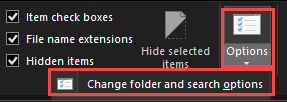
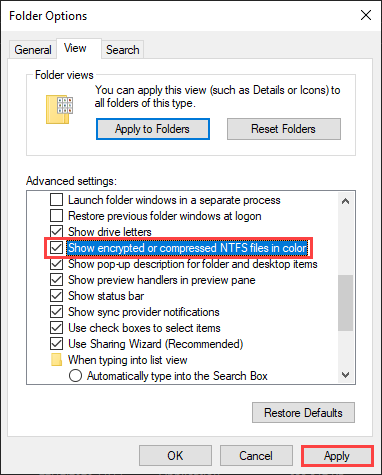
- Enable the view for compressed files:
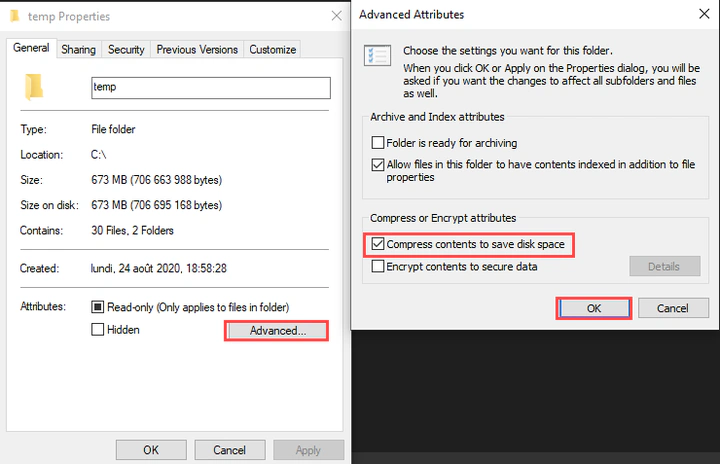
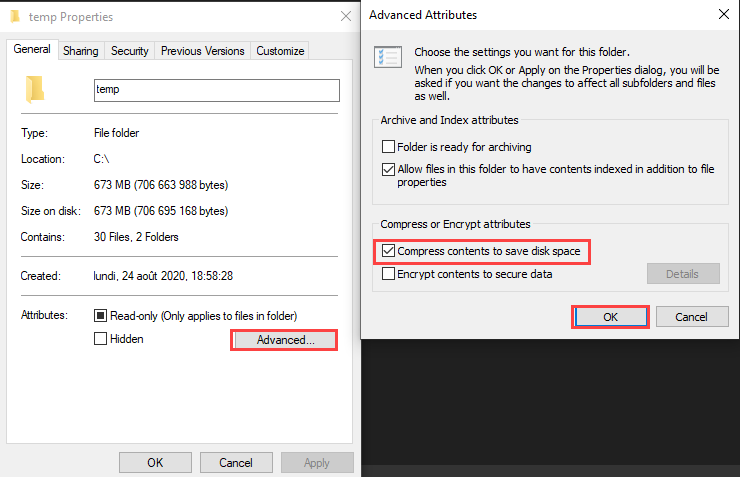
- Enable compression. Right-click on a folder > Properties > Advanced:
Conclusion:
The folder will appear in blue once compressed.
This method is very effective for text-based files like logs.

Authors
SysOps Engineer | IT Consultant | IT Teacher
Alexis is a SysOps Engineer and IT teacher at ETML in Lausanne. Rooted in systems and infrastructure, he combines automation and custom development with a growing interest in AI to solve practical problems. He offers IT consulting, custom solutions, and hosting.