PowerCompare - PowerShell script to compare two folders

Client: Personal project
Project description: PowerCompare is a PowerShell script that provides a graphical user interface to compare the contents of two folders. It is designed to be simple and lightweight. Date: January 10, 2023
Project:
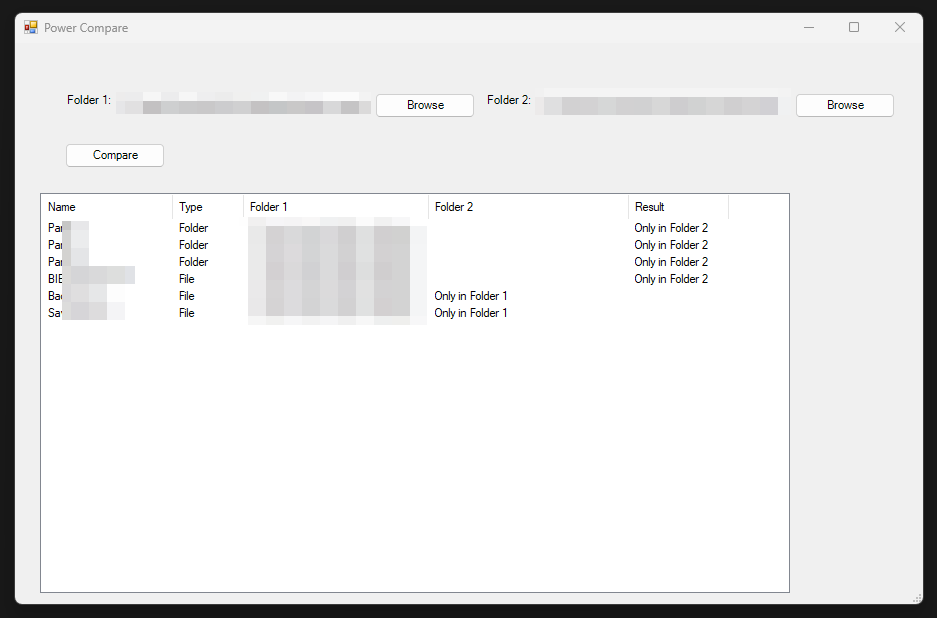
I developed this PowerShell script to compare the contents of two folders. As soon as it is launched, it displays a GUI that allows selecting the two folders to compare.
Since even the GUI part is included in the script, it provides a very simple and lightweight solution.
Here is the GitHub link for the project:
https://github.com/AlexIn-Tech/PowerCompare
Features
Graphical user interface with text fields “Folder 1” and “Folder 2” to specify the folders to compare.
“Browse” buttons to select the folders to compare.
“Compare” button to initiate the comparison.
List displaying the differences between the two folders, including the name, type (file or folder), and presence in each folder.
Usage
Download the script.
Open a PowerShell window and navigate to the directory containing the script.
Run the script using the following command:
.\NPowerCompare.ps1Use the “Browse” buttons to select the folders to compare.
Click the “Compare” button to initiate the comparison.
Requirements
PowerShell 5.0 or higher.
Windows operating system.
License
This script is licensed under the MIT license. You are free to use, modify, and distribute the script as long as you include the original copyright and license notice.